|
Alternative IIS Port Specification |

|

|
|
|
Alternative IIS Port Specification |
|
|
Alternative IIS Port Specification
|
Alternative IIS Port Specification |
|
|
|
|
Alternative IIS Port Specification |
|
|
When Internet Information Services (IIS) is installed, the default IIS communication Port is "80". If you have another application (e.g. the VOIP program "Skype") which is already using this port (e.g. a different web server, etc) on your Captools/net server machine, you either need to shut down that program, re-specify its port (e.g. see IIS Failure to Start), or alternatively you can change the port used by IIS as follows:
1) Click on Start, Control Panel, Administrative Tools, then Internet Information Services:
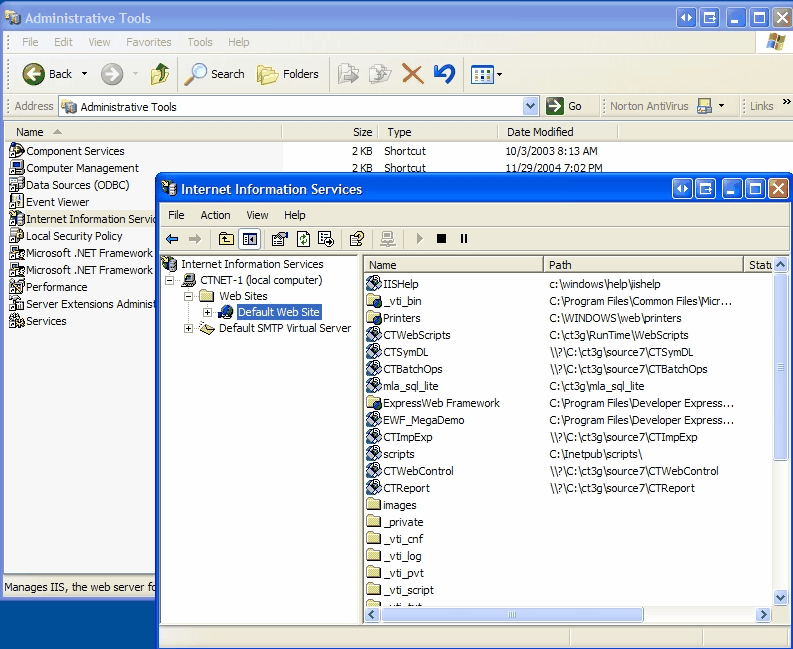
2) Right click on "Default Web Site, and choose "Properties" and set the TCP Port to an alternative port number (e.g. 8080):
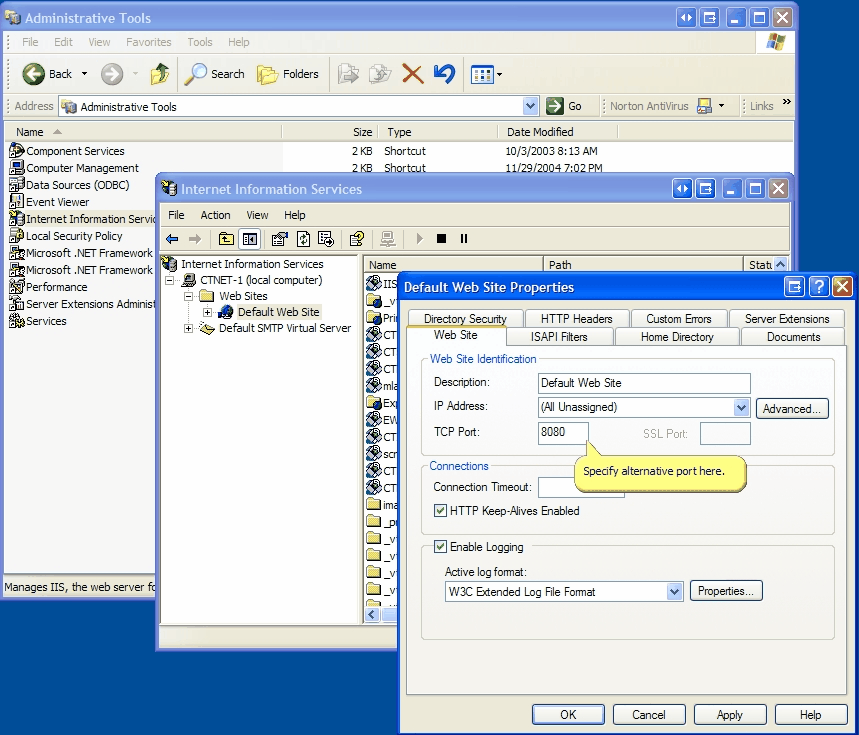
Click upon "Apply" and "OK" to complete this process.
3) Next indicate to Captools/net that you are going to be using port 8080. Do this on the Captools/net Server Control Panel by using the "Utilities/Windows Configuration" command and make the following change on the resulting dialog:
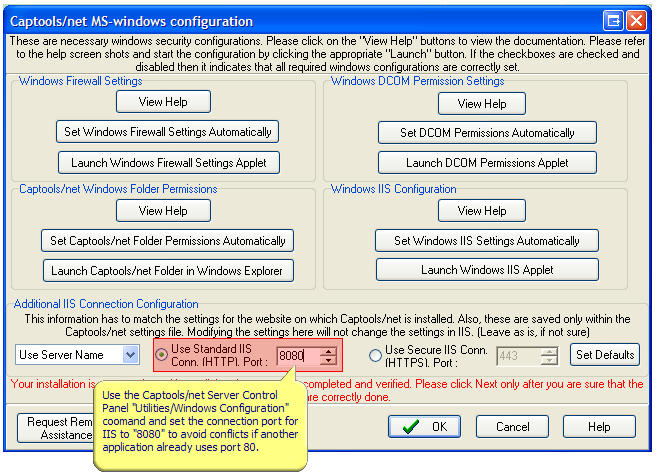
Restart the IIS after making this change (this may also occur when the script is run upon clicking "OK").
4) Firewall - If after the above changes, you have difficulty accessing any of the Captools/net browser based functions, please add "Port 8080" as an exception in your Windows Firewall or whatever firewall you have installed on your system.